
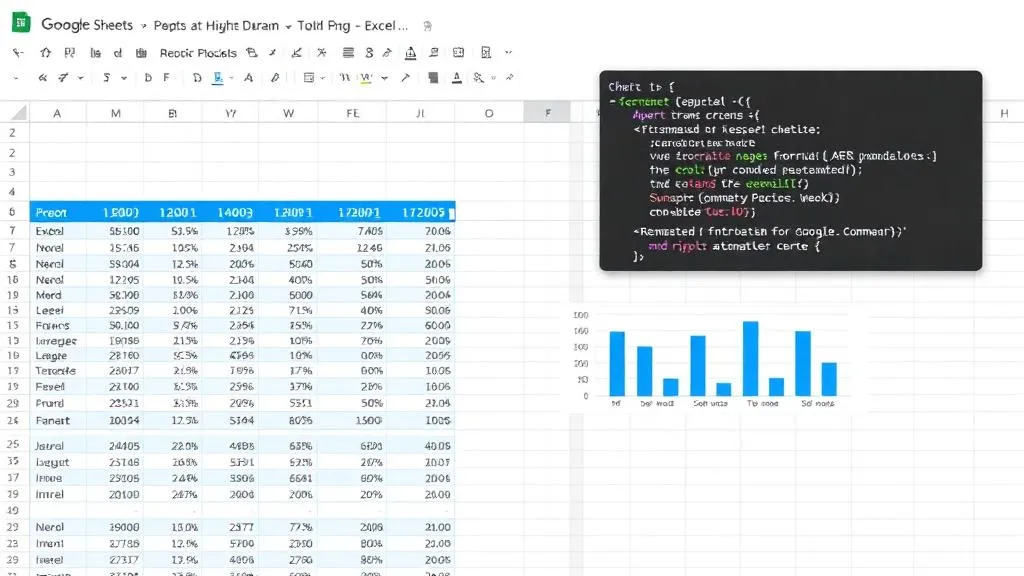
Google Sheets is one of the most widely used business tools on the planet — but most people use about 10% of its capabilities. With Google Apps Script (a JavaScript-based scripting language built right into Google Workspace), you can transform Sheets from a passive spreadsheet into an active automation platform that pulls data, sends alerts, generates reports, and integrates with external services.
What is Google Apps Script
Apps Script is Google's cloud-based scripting platform. It runs server-side JavaScript and has native access to all Google Workspace products: Sheets, Gmail, Calendar, Drive, Docs, Slides, and Forms. You can also make HTTP requests to external APIs, meaning you can connect Sheets to virtually any web service.
Automation trick #1: Automated data imports
Pull data from REST APIs (CRM, accounting, analytics platforms) directly into your Google Sheet on a schedule. Use Apps Script's UrlFetchApp to call any API and parse the JSON response into rows. Set a time-driven trigger to run hourly, daily, or weekly. No more manual CSV downloads or copy-pasting.
Automation trick #2: Email alerts and notifications
Trigger automated emails when specific conditions are met in your spreadsheet — stock below threshold, overdue invoices, KPI targets missed. Apps Script's MailApp lets you send HTML-formatted emails with data directly from your sheet. Trick #3: Auto-formatting and cleanup. Automatically format new data entries, apply conditional formatting rules, remove duplicates, standardise text casing, and validate data on entry using onEdit triggers.
Automation trick #4: Dashboard generation
Build automated dashboards that refresh with live data. Use Apps Script to aggregate data from multiple sheets or external sources, calculate KPIs, and populate a dashboard sheet with charts that update automatically. Trick #5: Integration with other Google services. Auto-create Calendar events from Sheet data, generate Google Docs reports from templates, save form responses with custom processing, and sync data across multiple Sheets.
When to graduate from Sheets to Python/database
Google Sheets has limits: 10 million cells per spreadsheet, 6-minute script execution timeout, and performance degrades above ~50,000 rows. When your data outgrows Sheets, it's time to move to a proper database (PostgreSQL, BigQuery) with Python pipelines — and HowAutomate can help you make that transition seamlessly.
Advanced Apps Script: custom functions
One of the most underused Apps Script features is custom functions — JavaScript functions you call directly in Sheets cells just like built-in formulas. Type `=MYFUNCTION(A1)` and your script runs. This lets you build: a function that looks up a company's registered address from a Companies House API, a function that converts between currencies using a live exchange rate feed, or a function that analyses text sentiment using the OpenAI API. Custom functions make spreadsheet formulas as powerful as full-stack web applications.
Connecting Sheets to databases and external systems
Apps Script's `UrlFetchApp` service lets you make HTTP requests to any REST API. This means you can: read data from your PostgreSQL database via a simple API middleware, write data to your CRM or project management tool on trigger events, authenticate with OAuth 2.0 services (HubSpot, Salesforce, Xero), and receive webhook data from external services directly into your spreadsheet. The bridge between Google Sheets and your broader technology stack is a few lines of Apps Script — not a complex integration platform.
Apps Script limitations and workarounds
6-minute execution limit: for long-running scripts, use continuation tokens — store progress in a script property, then reschedule the script to pick up where it left off. 30 triggers per project: consolidate multiple time-based tasks into a single orchestrator function. Daily quotas (UrlFetchApp: 20,000 calls): cache API responses using CacheService to reduce call volume. 10 million cells per spreadsheet: archive old data to Google Cloud Storage and keep only the most recent 3–6 months active.
Common Apps Script use cases we build at HowAutomate
Automated lead capture from Google Forms into HubSpot CRM with Slack notifications. Daily sales reports pulled from Shopify API and formatted into a shared dashboard. Automated invoice generation and emailing from a Sheets-based client tracker. Inventory reorder alerts when stock levels drop below threshold. Weekly timesheet consolidation across 20+ employee sheets into a single payroll summary. Customer satisfaction tracking that pulls NPS survey responses and plots trends automatically.
When to call a professional
Some automation goals require capabilities beyond Sheets and Apps Script: datasets above 50,000 rows, real-time streaming data, complex multi-step orchestration with retry logic, or systems that don't have REST APIs. At HowAutomate, we build Apps Script automations for businesses that want to stay in the Google ecosystem, and we design migration paths for businesses that have grown beyond it. Book a free consultation to see where you stand.
Frequently asked questions
What is Google Apps Script and what can it automate?
Google Apps Script is a JavaScript-based platform built into Google Workspace that lets you automate tasks across Google Sheets, Docs, Gmail, Calendar, Drive, and Forms. It can import data from external APIs, run calculations and formulas on a schedule, send personalised emails, create calendar events, generate Google Docs reports, and respond to form submissions — all for free, running on Google's servers with no local infrastructure required.
Is Google Apps Script free to use?
Yes. Apps Script is included with any Google account (free or Workspace). Google provides daily execution quotas: 6 minutes of script execution per day for free accounts (90 minutes for Workspace), 20,000 email recipients per day (Workspace), and 100 external URL fetch calls per 100 seconds. For most small business automation tasks — scheduled data imports, weekly reports, form response handlers — the free quota is more than sufficient.
How do I automatically import data from an API into Google Sheets?
Use Apps Script's UrlFetchApp.fetch() to call any REST API, then parse the JSON response and write it to your sheet with sheet.appendRow() or sheet.getRange().setValues(). Add a time-driven trigger (Apps Script > Triggers) to run the function daily, hourly, or on whatever schedule you need. Common use cases include pulling exchange rates, weather data, social media metrics, ad spend, or CRM data directly into a Sheet on a schedule.
How do I send automated emails from Google Sheets?
Use Apps Script's GmailApp.sendEmail() function. Typical pattern: read a row from a Sheet (recipient name, email, personalised content), build the email body using string templating, and call sendEmail() for each row. Add a time-driven trigger to run the script daily or on a specific schedule. For HTML emails with formatting, use GmailApp.sendEmail(email, subject, body, { htmlBody: htmlContent }). This approach works for personalised weekly reports, payment reminders, and customer follow-ups at no cost.
What are the best Google Sheets Apps Script automation templates for small businesses?
The most useful Apps Script automations for small businesses are: (1) form-to-CRM: copy Google Form submissions to a structured CRM sheet and send a welcome email; (2) invoice reminder: check an invoices sheet daily and email overdue clients; (3) inventory alert: monitor a stock sheet and email or WhatsApp when items fall below reorder level; (4) weekly sales summary: aggregate a transactions sheet and email a formatted summary every Monday; (5) API data sync: pull fresh data from Shopify, WooCommerce, or Google Analytics into a Sheets dashboard each morning.

Amit has 6+ years of experience building data pipelines, AI agents, and automation systems for businesses across India and globally. He founded HowAutomate to make enterprise-grade automation accessible to growing businesses.