LinkedIn is the highest-quality B2B lead source available today — decision-makers, job titles, company sizes, and intent signals all in one place. Yet most businesses use it the way people used Yellow Pages in 1995: manually searching, manually clicking, manually typing the same connection request over and over. This is slow, exhausting, and completely unnecessary.
What LinkedIn lead automation actually is
LinkedIn automation refers to using tools and workflows to systematise prospecting, outreach, and follow-up on LinkedIn — reducing the manual effort involved while keeping the personalisation that drives replies. The goal is not to spam thousands of people, but to build a reliable, scalable pipeline with better response rates than manual approaches.
The right way to do it: personalisation at scale
The tools that work combine automation with genuine personalisation. Instead of sending 'Hi {FirstName}, I'd like to connect' to 500 people, an effective automated sequence: targets a specific, narrow ICP (ideal customer profile), crafts personalised connection notes referencing their role, company, or recent activity, sends a value-first follow-up message 3 days after connecting, and adds a second follow-up with a specific insight or case study after 7 days.
Tools that work (and stay within LinkedIn's limits)
For safe, compliant LinkedIn automation: Expandi and Lemlist for automated sequences within daily limits (50–80 connection requests/day). PhantomBuster for data scraping and export. Clay for enriching LinkedIn profile data with email addresses, company firmographics, and tech stack data. For fully manual but systemised outreach, Sales Navigator with a CRM integration is the enterprise approach.
Combining LinkedIn with email outreach
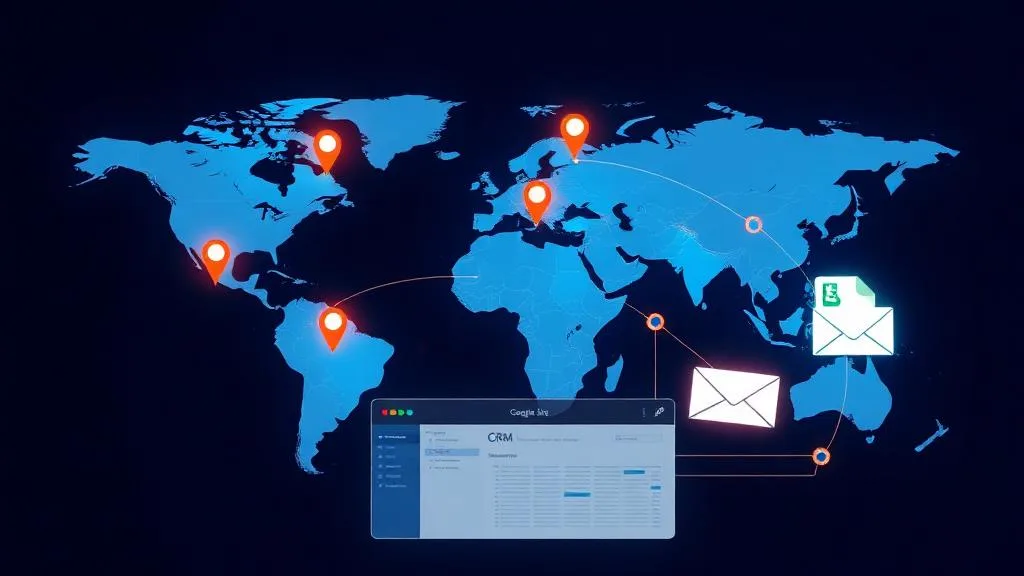
The most effective B2B outreach combines LinkedIn and email. The workflow: identify target prospects on LinkedIn, enrich their email addresses via tools like Hunter.io or Apollo, send a LinkedIn connection request, send a personalised email on the same day, follow up on LinkedIn if no email reply in 3 days, and send a final LinkedIn message 7 days later. This multi-touch approach sees 3–5× higher reply rates than single-channel outreach.
Building a lead enrichment pipeline with n8n
For technical teams, n8n can automate the entire enrichment workflow: pull prospects from a Google Sheet, call the Apollo or Hunter API for email addresses, enrich company data from Clearbit, add enriched records back to the Sheet and to your CRM, and trigger the outreach sequence. This pipeline runs on a schedule — adding 20–30 enriched, ready-to-contact leads to your CRM every day automatically.
Targeting the right ICP on LinkedIn
Your outreach is only as good as your targeting. Use LinkedIn's Boolean search operators to filter by: job title, company size, industry, geography, seniority level, and years of experience. Save your search criteria and use Sales Navigator's saved lists to build a rolling prospect pool that replenishes automatically as new people match your criteria.
Measuring LinkedIn outreach performance
Track these metrics weekly: connection acceptance rate (target: 30–50% for personalised notes), message reply rate (target: 10–20% for value-first sequences), conversations converted to discovery calls (target: 5–10% of replies), and demos booked per 100 connection requests sent (benchmark: 2–5 for well-targeted campaigns). If your acceptance rate is below 20%, your targeting is too broad.
Staying within LinkedIn's terms of service
LinkedIn actively detects and bans accounts using automation that violates their terms. Safe practices: stay under 100 connection requests per day, use tools with human-like delays between actions (30–120 seconds), avoid scraping large volumes of data in single sessions, use a well-established account (3+ years old, 500+ connections), and avoid automated InMails.
From LinkedIn to booked meeting — the full workflow
The goal of LinkedIn automation is not connections or replies — it's booked meetings. Build the full funnel: prospect identified → connection sent → connection accepted → personalised message sent → reply received → Calendly link shared → meeting booked → CRM record created → pre-meeting research brief sent automatically. At HowAutomate, we build complete B2B outreach automation systems — LinkedIn sequences, email enrichment pipelines, and CRM integration — that fill your calendar with qualified discovery calls. Book a call to see how we'd build this for your business.
Frequently asked questions
Is LinkedIn automation safe to use without getting banned?
Yes, if done within LinkedIn's limits. Safe practices: stay under 80–100 connection requests per day, use tools with randomised delays between actions, avoid scraping large profile volumes in single sessions, and use an established account (500+ connections, 3+ years old). Tools like Expandi and Lemlist are designed for LinkedIn-safe automation. Avoid cheap mass-automation tools that send hundreds of requests per hour — these trigger LinkedIn's bot detection and result in account restrictions.
What is the best LinkedIn automation tool for Indian B2B businesses?
For Indian B2B teams, the most cost-effective and effective tools are: Expandi ($99/month) for full sequence automation with personalisation; PhantomBuster ($59+/month) for scraping and data export; Clay ($149+/month) for advanced enrichment and personalised outreach at scale; and Apollo.io ($49+/month) which combines LinkedIn prospecting with email outreach in one platform. For small teams just starting, a well-structured manual process in Sales Navigator with CRM tracking is a reliable free starting point.
How many LinkedIn connection requests can I send per day safely?
LinkedIn's recommended limit for organic accounts is 100 connection requests per week (approximately 20/day). Accounts with strong engagement history and 500+ connections can typically send 50–80 per day without restriction. Automation tools should send requests with randomised timing (not all at once) to mimic natural behaviour. If you exceed limits, LinkedIn may temporarily restrict your account or add a CAPTCHA requirement.
How long does it take to see results from LinkedIn lead generation?
Expect 4–6 weeks before a well-optimised LinkedIn outreach campaign shows consistent results. Week 1–2: build your prospect list and send first connection batch. Week 3–4: follow-up messages go to accepted connections, first replies arrive. Week 5–6: first discovery calls booked from the initial batch. By month 3, a well-tuned campaign typically generates 5–15 qualified conversations per month for every 500 connection requests sent.
Can n8n automate LinkedIn prospecting?
n8n can automate the data and CRM layer of LinkedIn prospecting — not the LinkedIn interactions themselves (LinkedIn blocks direct API automation). The practical workflow: use PhantomBuster or LinkedIn Sales Navigator to export prospect lists, then use n8n to enrich those lists (adding email addresses via Hunter/Apollo, company data via Clearbit), push enriched leads to your CRM, and trigger the initial email outreach sequence. For the LinkedIn messages themselves, use a compliant automation tool like Expandi running in parallel.

Amit has 6+ years of experience building data pipelines, AI agents, and automation systems for businesses across India and globally. He founded HowAutomate to make enterprise-grade automation accessible to growing businesses.