Automating Unicommerce Order Processing: Invoices, Labels & Manifests for Myntra, Ajio, Nykaa & Flipkart
A marketplace seller's team was spending hours a day clicking through the Unicommerce panel — invoice, label, manifest, repeat, per channel. We automated the whole loop on a schedule. Here's how it works, and the channel quirks nobody documents.
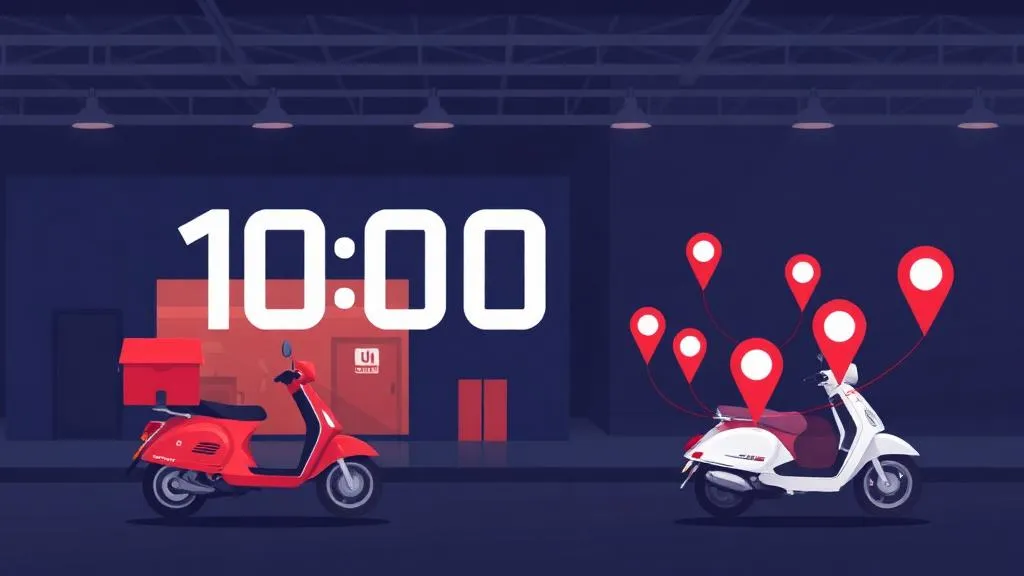
If you sell on several marketplaces through Unicommerce, you know the daily ritual. Open the panel. Pick a channel. Create invoices for the new orders. Download the invoice PDF, the shipping labels, the order data. Mark the shipments ready to ship. Create a manifest per courier and download that too. File everything in the right folder. Build a picklist so the warehouse knows what to pull. Then do it again for the next channel — and again at the next pickup slot. For a fashion-accessories brand we work with, this was hours of a skilled person's day, every day, across Myntra, Ajio, Nykaa, Nykaa Fashion, Flipkart and Amazon.
What we built
A Python service that runs the entire loop through the Unicommerce API on a fixed schedule — four slots a day, timed to the courier pickups the team already worked to. Each run finds new orders per channel, creates invoices, fetches labels, moves shipments to ready-to-ship, creates and closes the courier manifests, and files every document into Google Drive by date, channel and run time. A combined picklist lands in a Google Sheet sorted by SKU, and every dispatched shipment is appended to the team's existing per-channel master sheets. An email after each run says what happened.
Lesson 1: every marketplace behaves differently, even inside one panel
Unicommerce gives you one API, but the channels behind it don't behave alike. Myntra, Nykaa and Nykaa Fashion go straight to ready-to-ship the moment you invoice. Ajio doesn't: invoicing leaves the shipment packed *with no courier assigned*, and the label call fails until you separately ask for a shipping provider to be allocated. Flipkart orders carry a processing time — ours open at 8 PM — and invoicing before then is refused, so the automation treats them as 'upcoming' and picks them up in the next morning's slot instead of erroring. None of this is in a single document anywhere; we found each rule by running one real order per channel and reading the response.
Lesson 2: Amazon labels aren't PDFs
Amazon's shipping labels come back as ZPL — the raw language thermal label printers speak. The usual fix is to send the ZPL to an online rendering service, which means sending every customer's name and address to a third party. We render ZPL to PDF locally instead, and verified the barcodes still scan by decoding them programmatically. The team gets a printable PDF and the original .zpl file for their thermal printer, and no customer data leaves the server.
Lesson 3: dispatch is irreversible, so design for 'never twice'
Creating a manifest hands shipments to a courier — you can't undo it. Every shipment's progress (invoiced → ready-to-ship → dispatched, or stuck at a named stage) lives in a small local database, so a run that crashes halfway resumes cleanly next time instead of double-processing. Shipments that got stuck — say, an Ajio order whose courier allocation failed — are retried automatically on the next run, and their documents are filed back into the folder of the run that started them. The dispatch step writes 'dispatched' to the ledger *immediately* after the manifest call succeeds, before downloading any PDFs, so a later network hiccup can never make the system forget something already happened.
Lesson 4: the alert system can fail with the thing it's alerting about
On the first live day, one scheduled run crashed before it started: Google had revoked the access token the run used to file documents in Drive. That same token was also used to send the failure email — so the alert failed too. Nothing broke in the marketplaces (the run died before touching any order), and we re-ran the slot by hand within minutes. The fix was structural: the token the core job depends on now carries *only* the Drive permission it needs, alerts go through a completely separate channel, and non-critical uploads (like a run log) can no longer crash a run. If your automation's alerting shares credentials with the job it watches, you don't really have alerting.
Lesson 5: fit the team's existing sheets, don't replace them
The dispatch team kept one spreadsheet per channel, with their own column orders, formats and quirks — some channels want the seller order ID, some want an item code split from a longer string, some want numbers stored as text. Instead of asking them to change, the automation appends rows in exactly their format, de-duplicated by AWB number so a re-run never adds a shipment twice. We verified the mapping by rebuilding a full day's real rows from our own export and matching them value-for-value against what the team had typed by hand.
The result
On the first full scheduled day, the system dispatched 36 shipments across five marketplaces, with invoices, labels, manifests, picklist and filing all handled — including the first live Amazon order, whose ZPL label went straight to PDF. It runs on a small Linux server with cron, not on someone's laptop, so it works whether or not anyone's at a desk. The team's job moved from operating the panel to packing the boxes.
Before you automate your own panel
Start in dry-run mode and process one real order per channel before letting anything run unattended — every marketplace will surprise you once. Keep the irreversible step (dispatch) behind an explicit switch. And separate your alerting from your core credentials. At HowAutomate we build exactly this kind of order-processing automation for Indian marketplace sellers — if your team spends its mornings in the Unicommerce panel, we'd be glad to map out what it would take.
Want this done for your business? See how we implement it end-to-end.
E-Commerce AutomationFrequently Asked Questions
Can Unicommerce order processing be fully automated?
Most of it, yes. Through the Unicommerce API you can create invoices, fetch shipping labels, move shipments to ready-to-ship, create and close courier manifests and download every document on a schedule. Some steps depend on the channel — for example, Ajio needs a separate courier-allocation call before its labels can be fetched, and Flipkart orders can't be invoiced before their processing time.
Why does Ajio fail to give a shipping label after invoicing in Unicommerce?
On Ajio, invoicing leaves the shipment packed without a courier assigned, so the label request fails. Allocating a shipping provider for that shipment first lets the channel assign the courier and AWB, after which the shipment moves to ready-to-ship and the label can be downloaded.
How do you print Amazon ZPL labels as PDF?
Amazon labels arrive as ZPL, the language thermal printers use. You can send ZPL to a thermal printer directly, or render it to PDF. We render it locally on the server rather than through an online converter, so customer names and addresses are never sent to a third party, and we check that the rendered barcodes still decode correctly.
Is it safe to automate marketplace dispatch?
Dispatch (manifest creation) can't be undone, so the automation should track each shipment's stage in a ledger, never process the same shipment twice, start in dry-run mode, and be tested one real order per channel before it runs unattended. Ours also records a dispatch the moment it succeeds, before any downloads, so a later failure can't cause a repeat.
What does order processing automation cost compared to manual work?
It depends on the number of channels and the custom outputs (picklists, master sheets, folder structure). For a seller dispatching dozens of orders a day across several marketplaces, the automation typically replaces several hours of panel work daily and removes the error-prone copy-paste into dispatch sheets. A short call is usually enough to scope it.

Amit Singh
Founder, HowAutomate — Data Engineering, AI Automation & Cloud Infrastructure
Amit has 6+ years of experience building data pipelines, AI agents, and automation systems for businesses across India and globally. He founded HowAutomate to make enterprise-grade automation accessible to growing businesses.
Get Weekly Automation Tips
Real scripts, workflows, and AI tips — straight to your inbox.
Want us to implement this for you?
Book a free 30-minute discovery call and we'll map out exactly how to apply this to your business.
More Articles
Building a Marketplace Price Tracker for Amazon, Flipkart, Myntra & Nykaa (What Actually Works in 2026)
Read more
Automating Amazon Vendor Central Direct Fulfillment: Invoices, Labels, Handover & Ship Confirmation
Read more
Exam Photo & Signature Size 2026: IBPS, NEET, JEE Main & SSC (Verified From Official Notices)
Read more